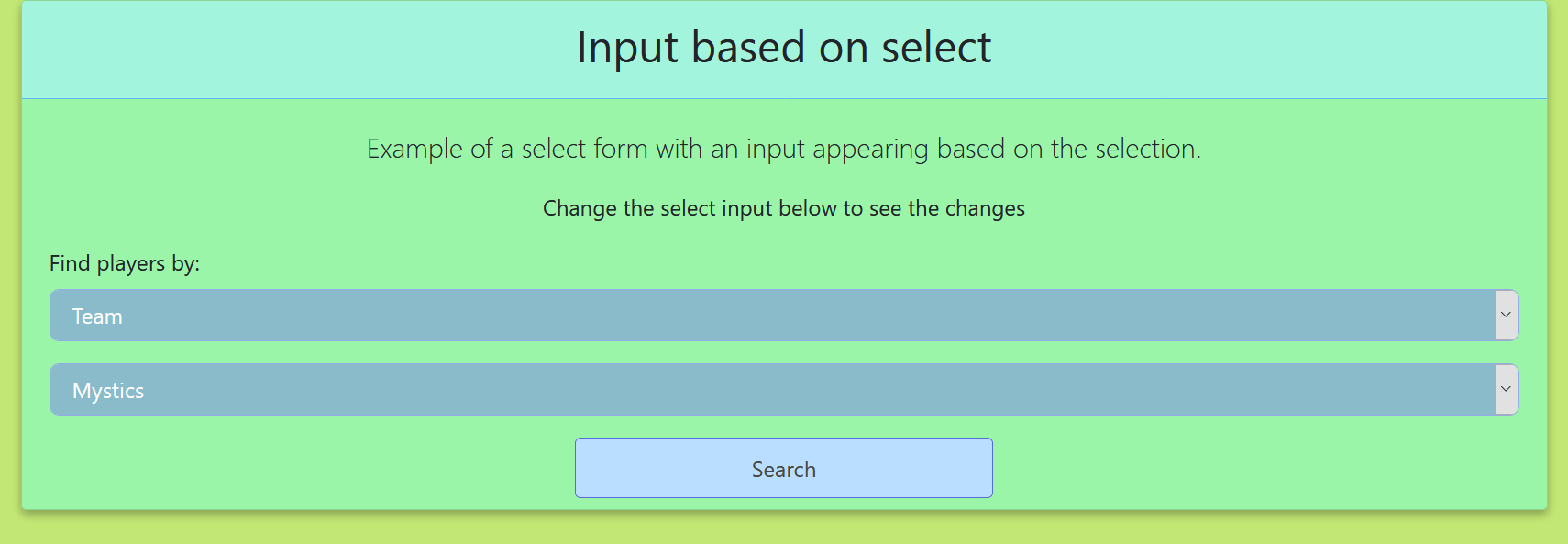
Creating an HTML form that is dynamic based on what is selected. Certain form input elements will be shown based on the initial select dropdown.
As you can see if the selection is for Teams then a drop-down will appear with the teams to choose from. If choosing to search by surname a text input will appear allowing to do so.
JS function script:
$(document).ready(function () {
    toggleInput();
    $("#player_type").change(function () {
        toggleInput();
    });
});

function toggleInput() {
    if ($("#player_type").val() === "experience") {
        $("#experiance").show();
    } else {
        $("#experiance").hide();
    }
    if ($("#player_type").val() === "team") {
        $("#teams").show();
    } else {
        $("#teams").hide();
    }
    if ($("#player_type").val() === "age") {
        $("#ages").show();
    } else {
        $("#ages").hide();
    }
    if ($("#player_type").val() === "surname") {
        $("#surname").show();
    } else {
        $("#surname").hide();
    }
}
The HTML form (with Bootstrap):
<div class="container">
    <div class="row">
        <div class="col-lg-12">
            <div class="card">
                <div class="card-header"><h2 class="text-center">Input based on select</h2></div>
                <div class="card-body"><p class="lead text-center">Example of a select form with an input appearing
                    based on the selection.</p>
                    <p class="text-center">Change the select input below to see the changes</p>
                    <form id="submit-form" method="post" action-xhr="#" role="form">
                        <div class="row">
                            <div class="col-md-12">
                                <div class="form-group"><label for="player_type">Find players by:</label> <select
                                        id="player_type" name="player_type" class="form-control">
                                    <option value="team">Team</option>
                                    <option value="experience">Experience</option>
                                    <option value="age">Age</option>
                                    <option value="surname">Surname beginning with:</option>
                                    <option value="all" selected>All</option>
                                </select></div>
                            </div>
                        </div>
                        <div class="row">
                            <div class="col-md-12">
                                <div class="form-group">
                                    <div id="experiance"><select id="exp" name="exp" class="form-control">
                                        <option value="1">1 Year</option>
                                        <option value="2">2-3 Years</option>
                                        <option value="3">3-5 Years</option>
                                        <option value="4">6+ Years</option>
                                    </select></div>
                                    <div id="teams"><select id="team" name="team" class="form-control">
                                        <option value="1">Rangers</option>
                                        <option value="2">Blazers</option>
                                        <option value="3">Mystics</option>
                                        <option value="4">United</option>
                                        <option value="5">Power</option>
                                        <option value="6">Kings</option>
                                    </select></div>
                                    <div id="ages"><select id="age" name="age" class="form-control">
                                        <option value="1">18-20</option>
                                        <option value="2">20-25</option>
                                        <option value="3">25-28</option>
                                        <option value="4">28+</option>
                                    </select></div>
                                    <div id="surname"><input type='text' class='form-control' id='surname_input'
                                                             maxlength='1' minlength='1' value='H'></div>
                                </div>
                            </div>
                        </div>
                        <div class="row">
                            <div class="col-12 text-center"><input type="submit" class="btn btn-success btn-send"
                                                                   value="Search"></div>
                        </div>
                    </form>
                </div>
            </div>
        </div>
    </div>
</div>
This is achieved with JQuery and a toggle function to show and hide the div which contains the certain input elements as required.
You can include multiple form/input elements inside the div not just one as this example shows.
A drained and empty Kennington reservoir images from a drone in early July 2024. The…
Merrimu Reservoir from drone. Click images to view larger.
Some early September spring shots from a bushwalk, It is still too early for wildflowers.
I recently needed to clone over a smaller NVMe to a 2TB SK Hynix Platinum…
If you ever needed a simple solution in Laravel to delete an entire directory and…
How to enforce only one user to register or be registered in a Laravel web…